Instructions for Use
Patient labeling · 21 CFR Part 801
Read these instructions before you use Oto and keep them for reference. They are published on the Oto website, and you can open them in the app under Profile → gear icon → About → Instructions for Use.
Device: Oto — a prescription, software-only mobile application for adults with chronic tinnitus. Class II tinnitus masker, 21 CFR 874.3400, product code KLW.
Manufacturer: Oto Health Ltd, 4th Floor, Silverstream House, 45 Fitzroy Street, London W1T 6EB, United Kingdom
Support: support@joinoto.com
Caution: Federal law restricts this device to sale by or on the order of a licensed healthcare practitioner.
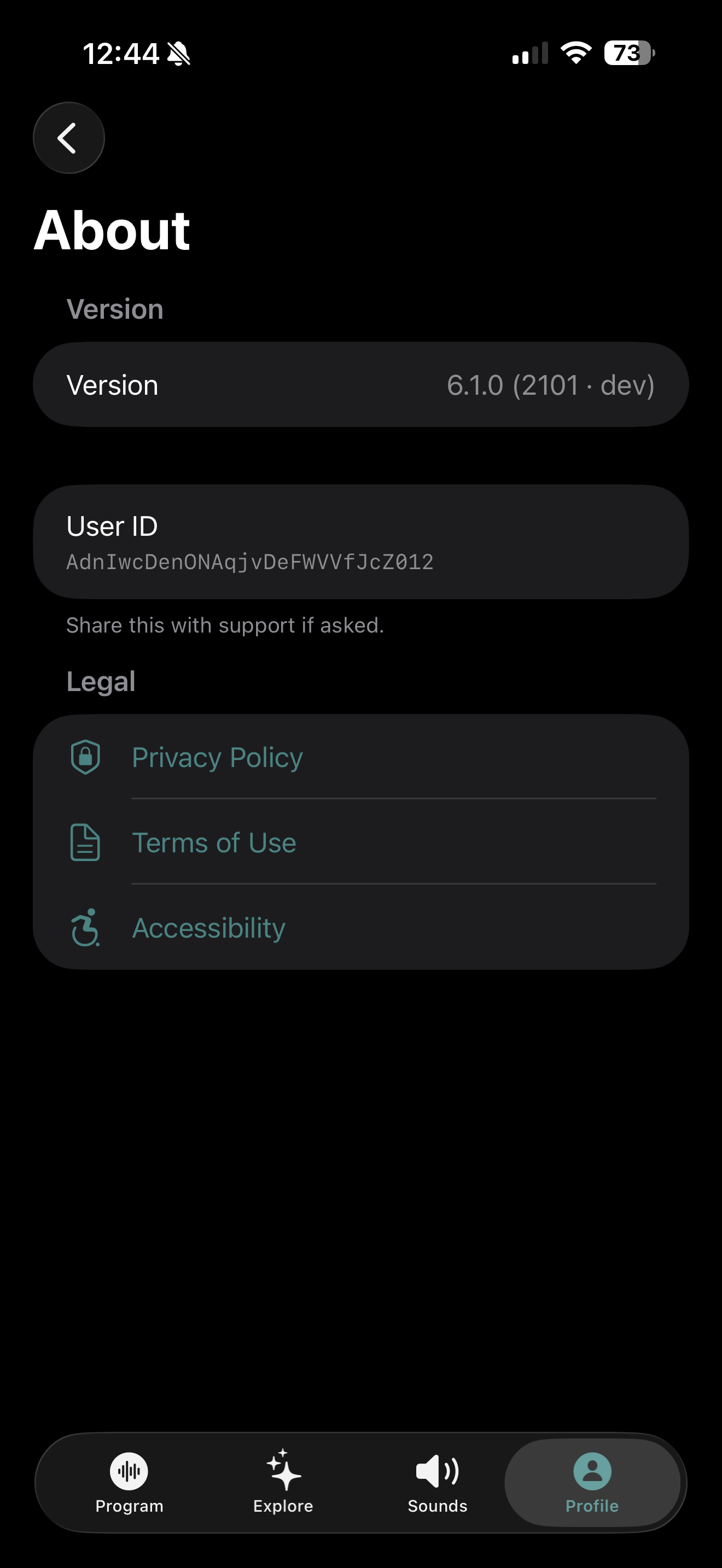
Device identifier (UDI): Oto is software and has no printed label. The UDI is shown in the app under Profile → gear icon → About. It starts with the device identifier (01)05070003359301 and ends with your app version.
About this device
Oto is an app. It is software only. You use it on your own iPhone or Android phone with your own earphones, headphones, or the phone's speaker. Nothing is supplied with it and nothing touches your body.
Oto plays sounds that cover up (mask) your tinnitus while you listen. It also gives you audio sessions and reading material that help you manage tinnitus as part of a program run with your provider. Oto gives temporary relief while you use it. It does not make tinnitus go away and it does not diagnose anything.
Indications for Use
Oto, in combination with a Tinnitus Management Program, is a therapeutic software tool for the treatment of chronic subjective tinnitus for home use. Oto is intended for use by adults 18 years of age and older. Oto is intended to provide temporary relief from tinnitus symptoms while using the device.
What this means for you: Oto is for adults whose tinnitus has been assessed by a healthcare provider and found to be long-term. The main way it helps is through sound from the app's sound library. The audio sessions and reading material sit alongside the sounds. You use Oto on your own at home, without training or supervision.
Your provider's role
A licensed hearing healthcare provider must examine you and confirm that you have chronic tinnitus before you use Oto. Your provider prescribes Oto, gives you access, and advises you on which sounds to use and how often. They can set your Sound EQ for you, which you can still change, and mark Explore sessions they want you to try. They may review your progress on the Oto dashboard and decide with you whether to continue, change your management, or refer you on. Keep going to your follow-up appointments.
Who should not use Oto
Oto is not suitable for people with severe mental disorders, or with a psychiatric condition that needs care beyond what a family doctor can give. If you have, or think you may have, a serious mental health problem, speak to your doctor, a psychologist, or a psychotherapist first. Oto is a support. It does not replace professional therapy or medical care.
Do not use the sounds in Oto if you have any of these:
- Hearing voices or other sounds that are not there (auditory hallucinations)
- A hearing disorder that is causing you symptoms
- Meniere's disease
- A disease of the brainstem
- A psychiatric disorder
- Another serious health problem that is not properly treated, for example an active infection, active cancer, or an active neurological condition
- A jaw joint (TMJ) disorder
- Objective tinnitus (tinnitus that another person can also hear)
- Tinnitus in one ear only
- Tinnitus that pulses in time with your heartbeat
- A visible deformity of the ear, from birth or from an injury
- Fluid or discharge from your ear in the last 90 days
- Hearing loss that came on suddenly, or got worse quickly, in the last 90 days
- Semicircular canal dehiscence syndrome
- Ongoing neck pain
- An ongoing sore throat
If you do not recognize a term on this list, ask your provider before using the sound therapy. If any of these apply to you now, or start while you are using Oto, stop using the sound therapy and speak to your provider.
Warnings and precautions
Oto is not a standalone treatment for tinnitus. Use it as part of a tinnitus management program under the guidance of your healthcare provider. It does not examine, evaluate, or treat any condition that may be causing your tinnitus.
Loudness and hearing safety: you set how loud Oto plays with your phone's volume control. Oto does not limit how loud your phone can play. Listening at high volume for long periods can damage your hearing permanently, and the damage can appear later. Keep the volume just loud enough to blend with your tinnitus, never louder, and keep to the listening times under Using sound therapy. Start quiet and turn the volume up slowly.
Stop using Oto and contact your provider if your tinnitus gets worse, your hearing gets worse or you notice new hearing loss, you have ear pain, or you have fluid or discharge from your ear. If your hearing drops suddenly, get urgent medical help.
Look after your mental health. Tinnitus can go hand in hand with low mood and anxiety. If you feel very low, anxious, or distressed, tell your provider and contact your doctor or a mental health professional. Oto is not a treatment for mental health problems. If you have thoughts of harming yourself, get help now. In the United States, call or text 988 (Suicide & Crisis Lifeline), or call 911 in an emergency.
Do not use Oto while driving, cycling, operating machinery, or at any other time when you need to hear what is happening around you. The sounds are designed to cover other sounds, including traffic, alarms, and people speaking to you.
Do not use Oto if you are under 18.
What to expect: some people notice their tinnitus more, not less, in the first few days. This is common and usually settles. Earphones worn for a long time can feel uncomfortable, so take breaks.
What you need
- A prescription from a licensed hearing healthcare provider. The program sessions, the sound tuning controls, and the sleep timer need one. For new accounts the sound library needs one too. Until your provider issues your prescription, you can try the first program session.
- An iPhone running iOS 17.0 or later, or an Android phone running Android 8.0 or later.
- An internet connection to download the app, sign in, and download sessions and sounds.
- Earphones, headphones, or your phone's speaker. Headphones give the best effect.
- An email address you can open on your phone. This is how you sign in.
Getting started
Step 1, download the app: open the App Store (iPhone) or the Google Play Store (Android), search for Oto, and install it.
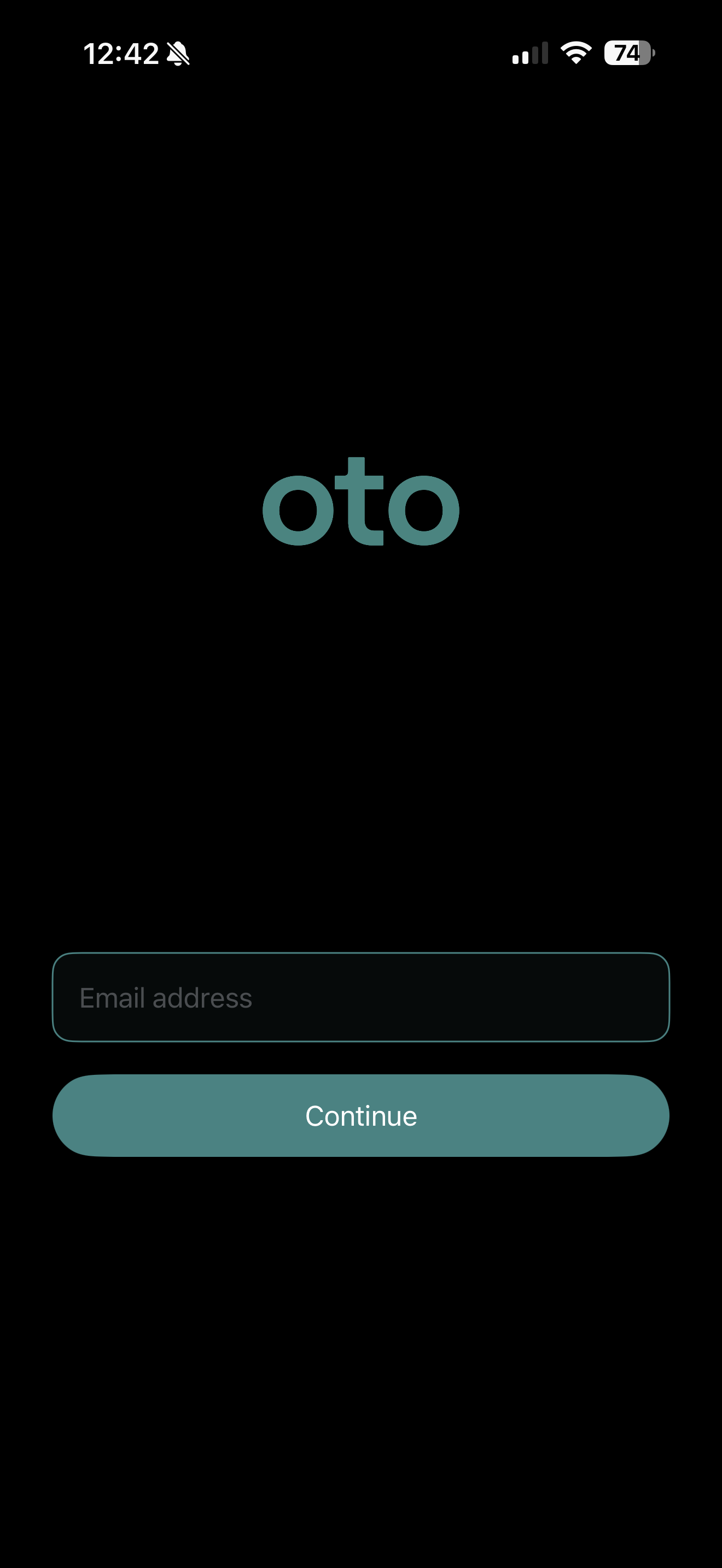
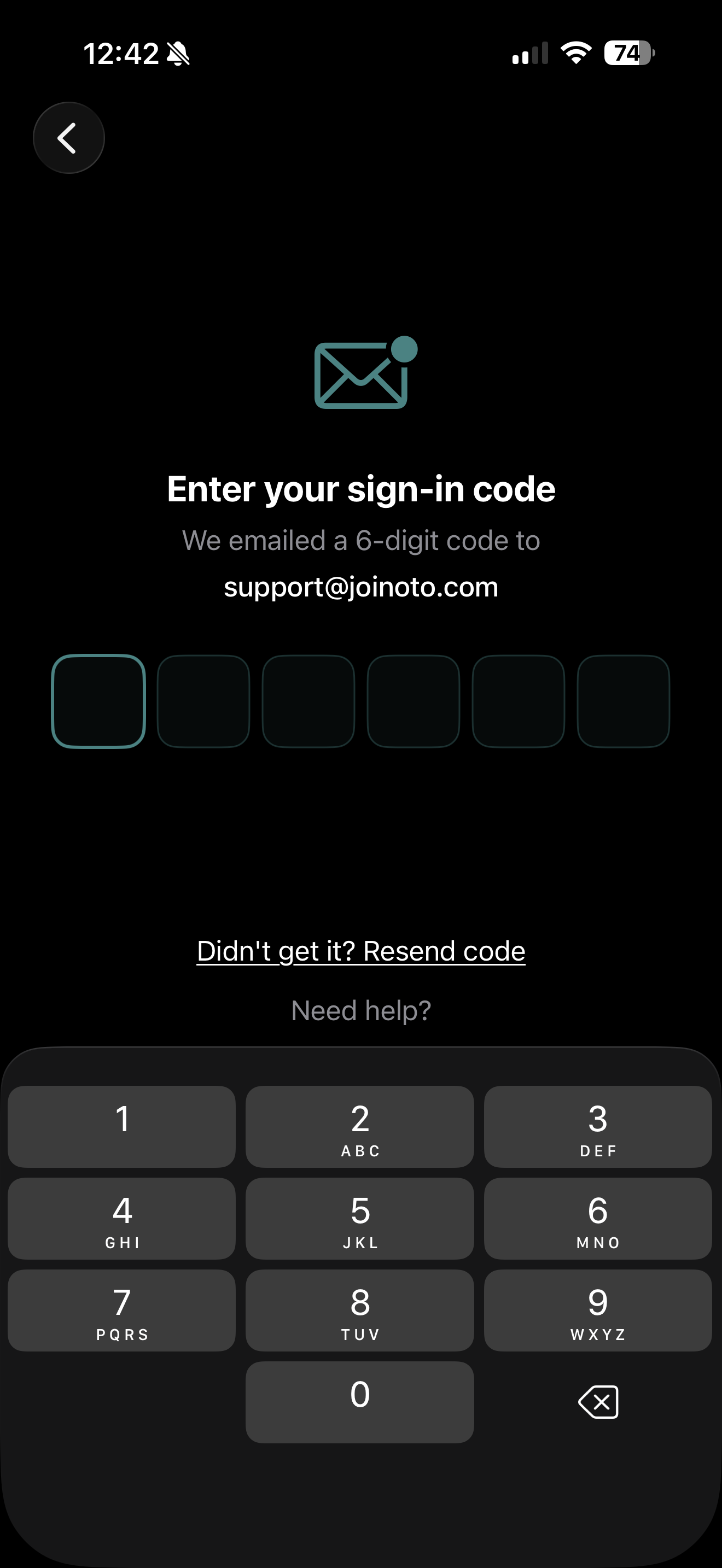
Step 2, sign in with your email: Oto does not use a password. Type in your email address and we email you a 6-digit code. Type the code into the app. The app continues as soon as you type the sixth digit. If the code does not arrive, see If something isn't working.
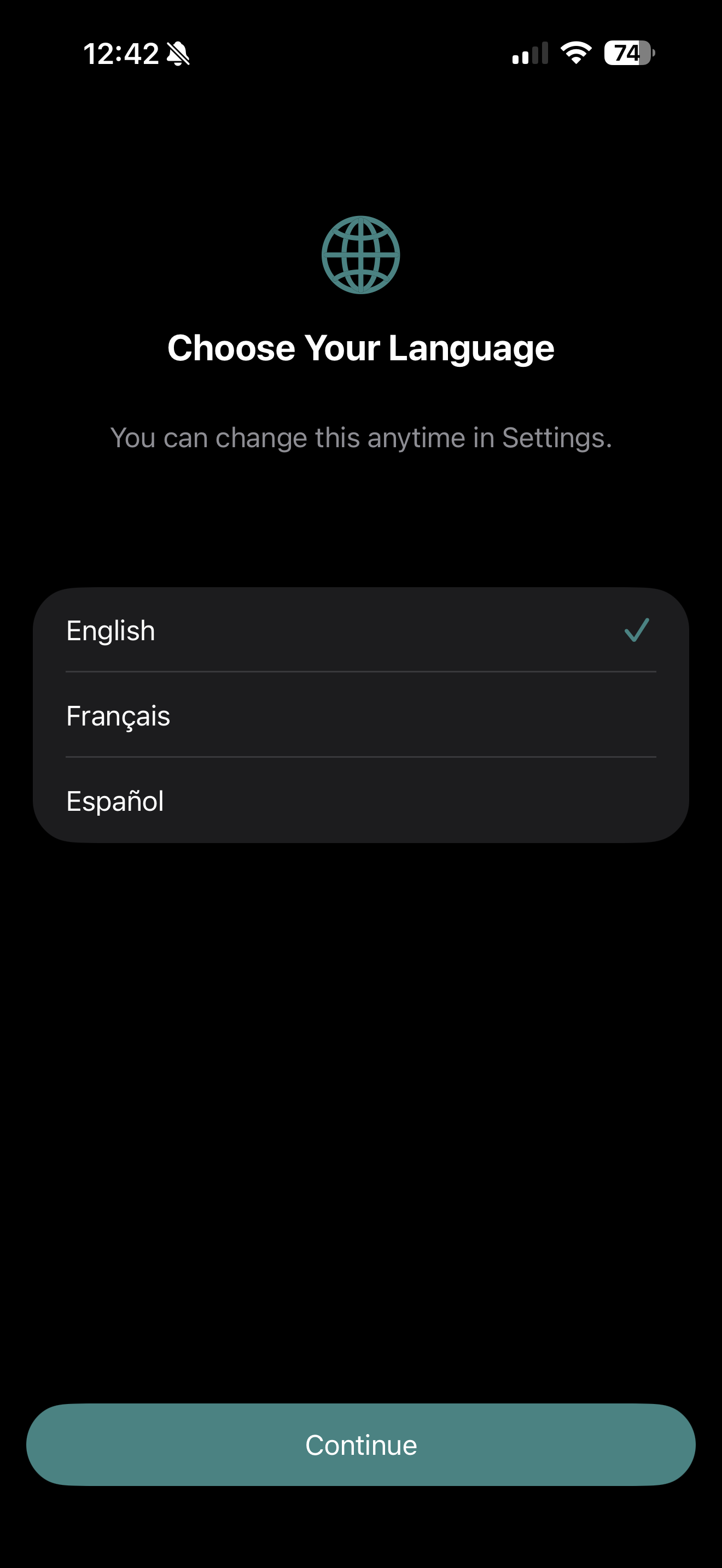
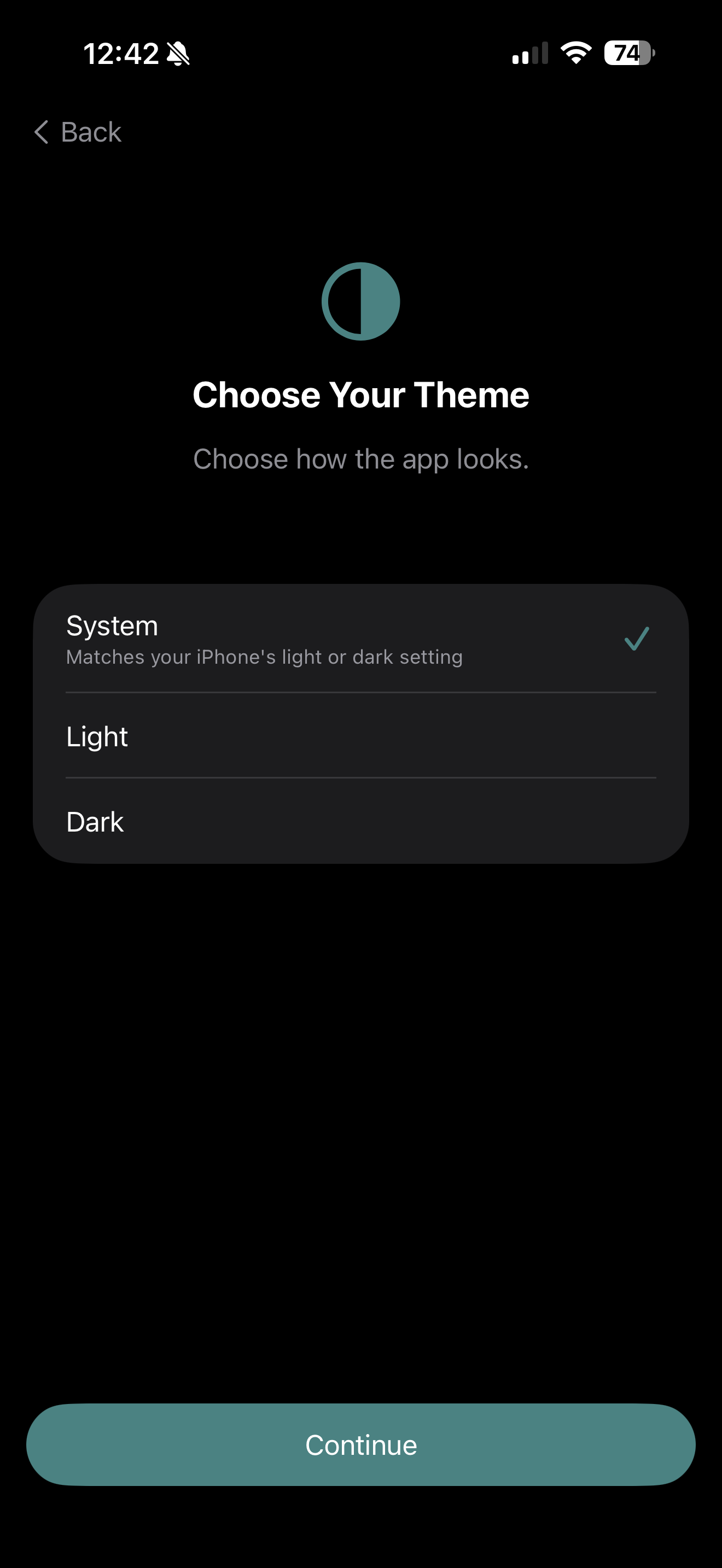
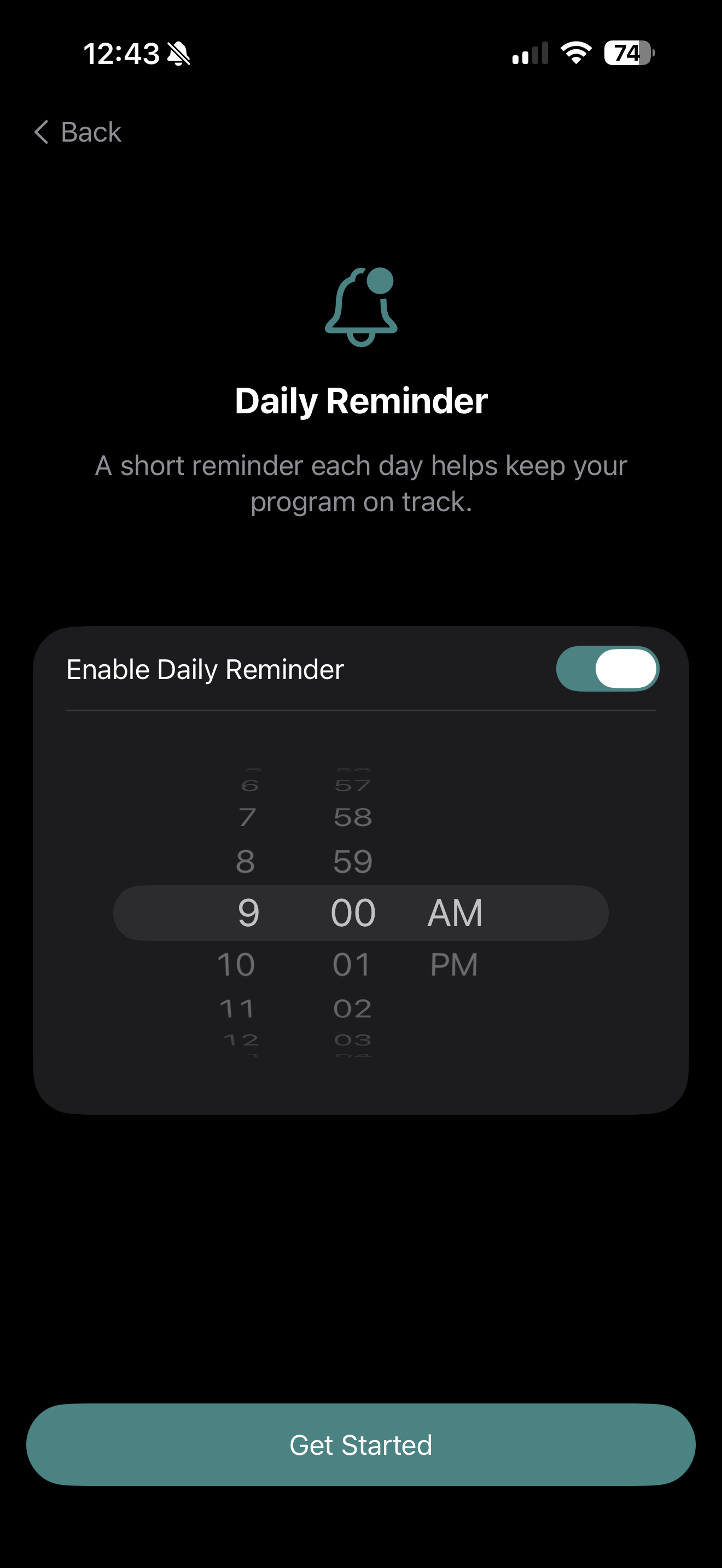
Step 3, set up the app: the first time you sign in, three short screens ask you to choose a language (English, Spanish, or French), an appearance (System, Light, or Dark), and whether you want a daily reminder and at what time. You can change all of these later in Settings.
Step 4, connect with a provider: if you do not yet have a prescription, the app asks you to choose a provider before you can go any further. You read a short introduction, choose a provider from the list, tap Register with this Provider, and fill in your contact details and a few short questions on one screen. A confirmation screen tells you that the provider will be in touch and that you can try the first session in the meantime. You get full access, including the sound library, once your provider has issued your prescription. If you already have a prescription, you will not see this step.
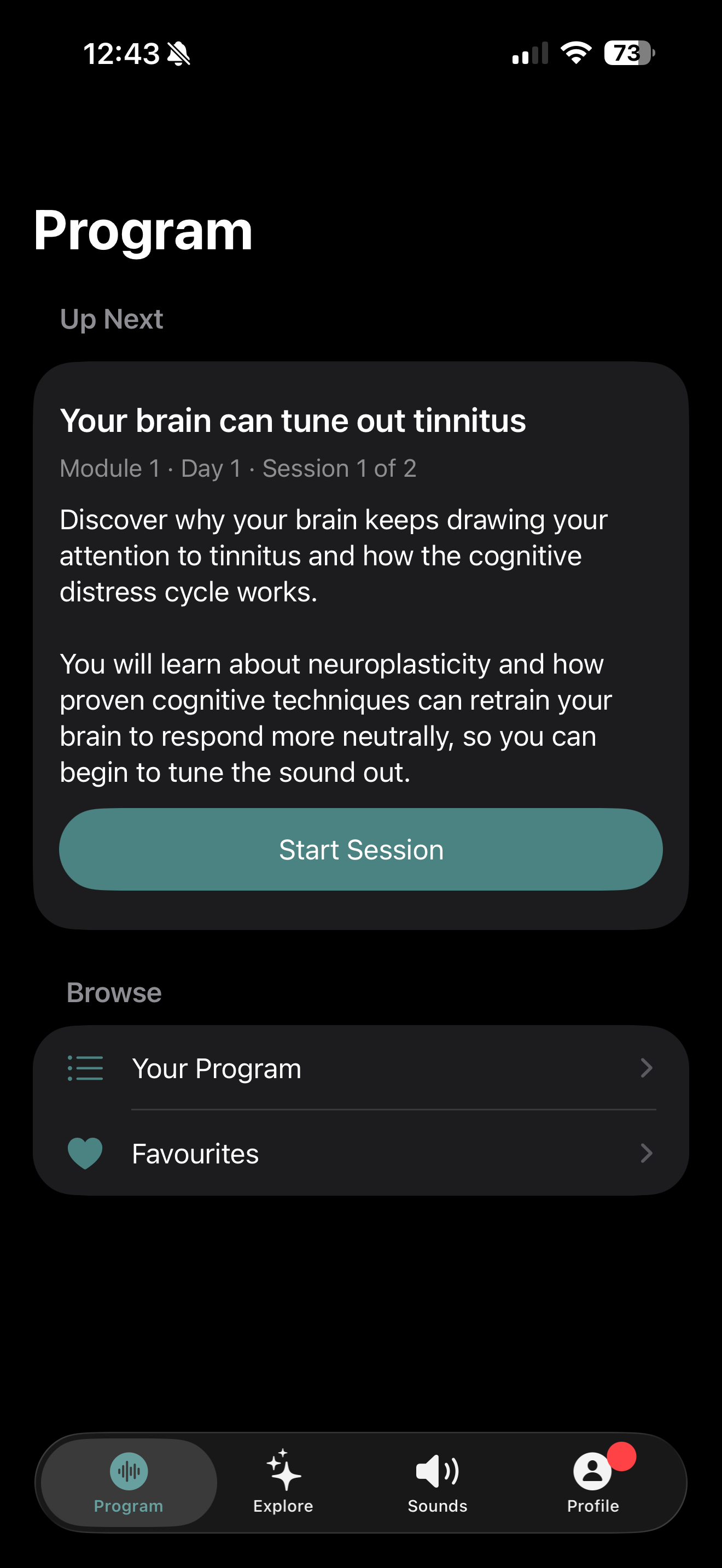
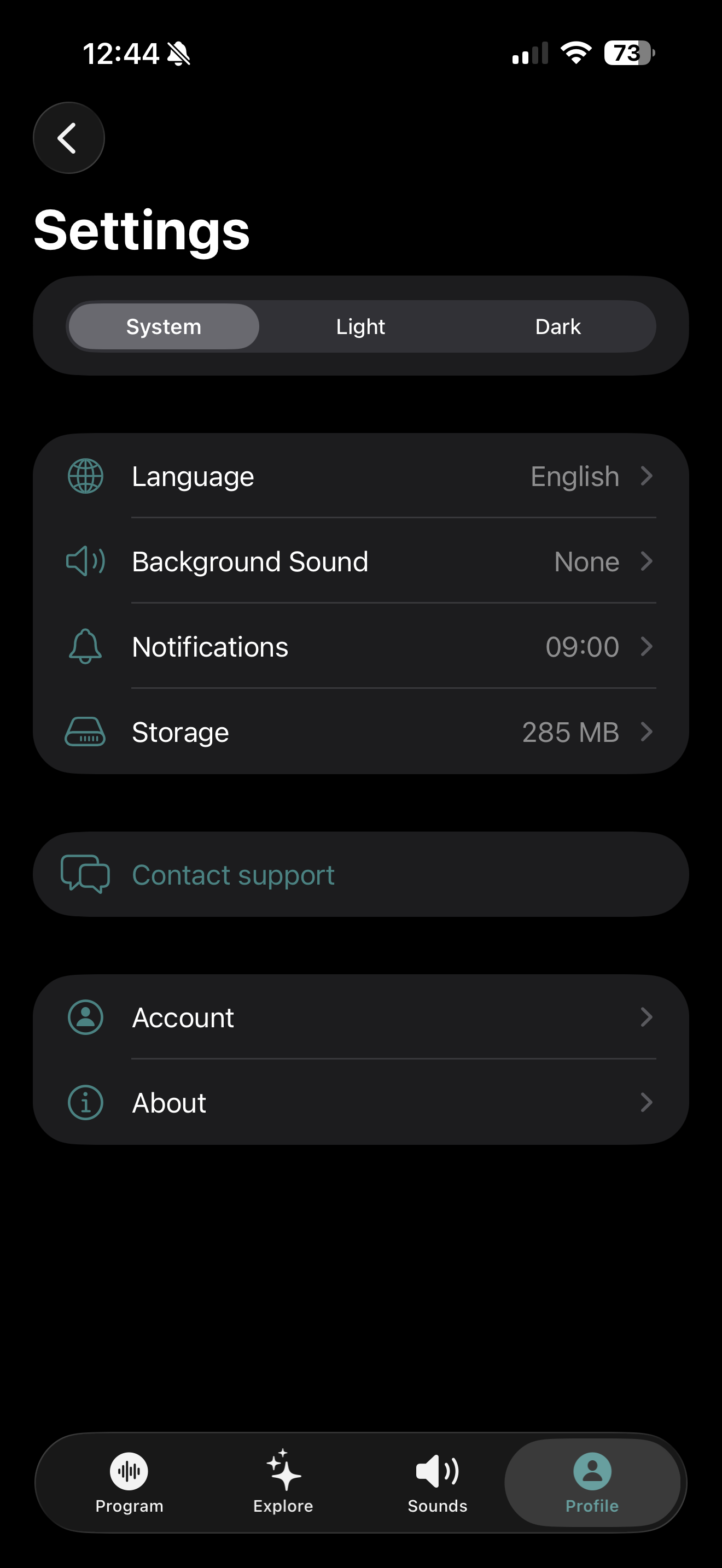
Finding your way around: there are four tabs along the bottom of the screen: Program (the main step-by-step program), Explore (extra sessions), Sounds (the sound library), and Profile (your progress, your assessments, and settings). Settings are behind the gear icon at the top of the Profile tab.
Using sound therapy
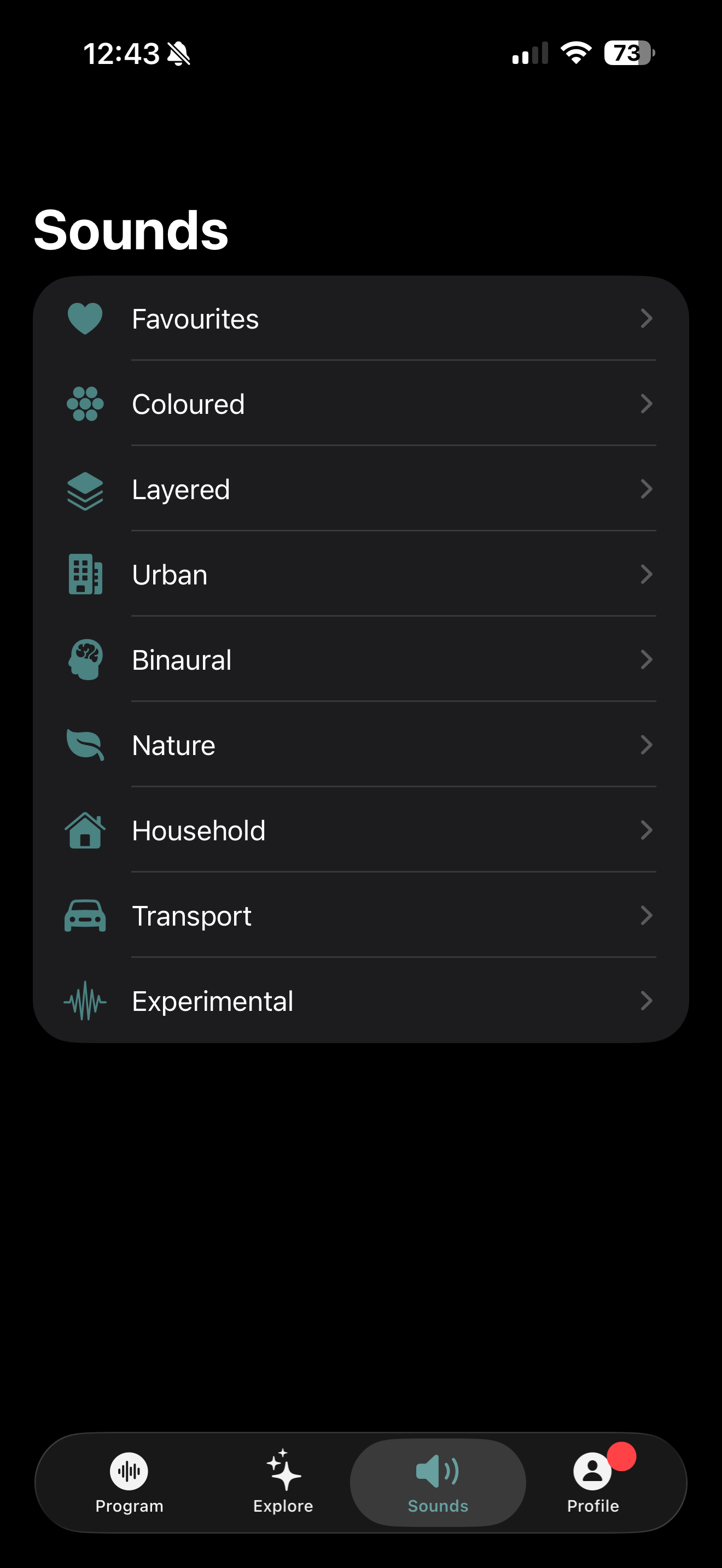
This is the main part of Oto. The sound library holds broadband noise (steady, even sounds such as white, pink, and brown noise, which blend well with tinnitus) and everyday and outdoor sounds (rain, waves, a fan, a train, a busy street). In the app they are grouped as Coloured, Layered, Urban, Binaural, Nature, Household, Transport, and Experimental.
Playing a sound: tap the Sounds tab, tap a category, then tap a sound. The player fills the screen and the sound starts. Tap play/pause to stop and start it. Tap the close button at the top to close the player. Closing the player stops the sound. While the player is open, the sound keeps playing if you lock your phone or switch to another app, and you can pause and play it from your lock screen.
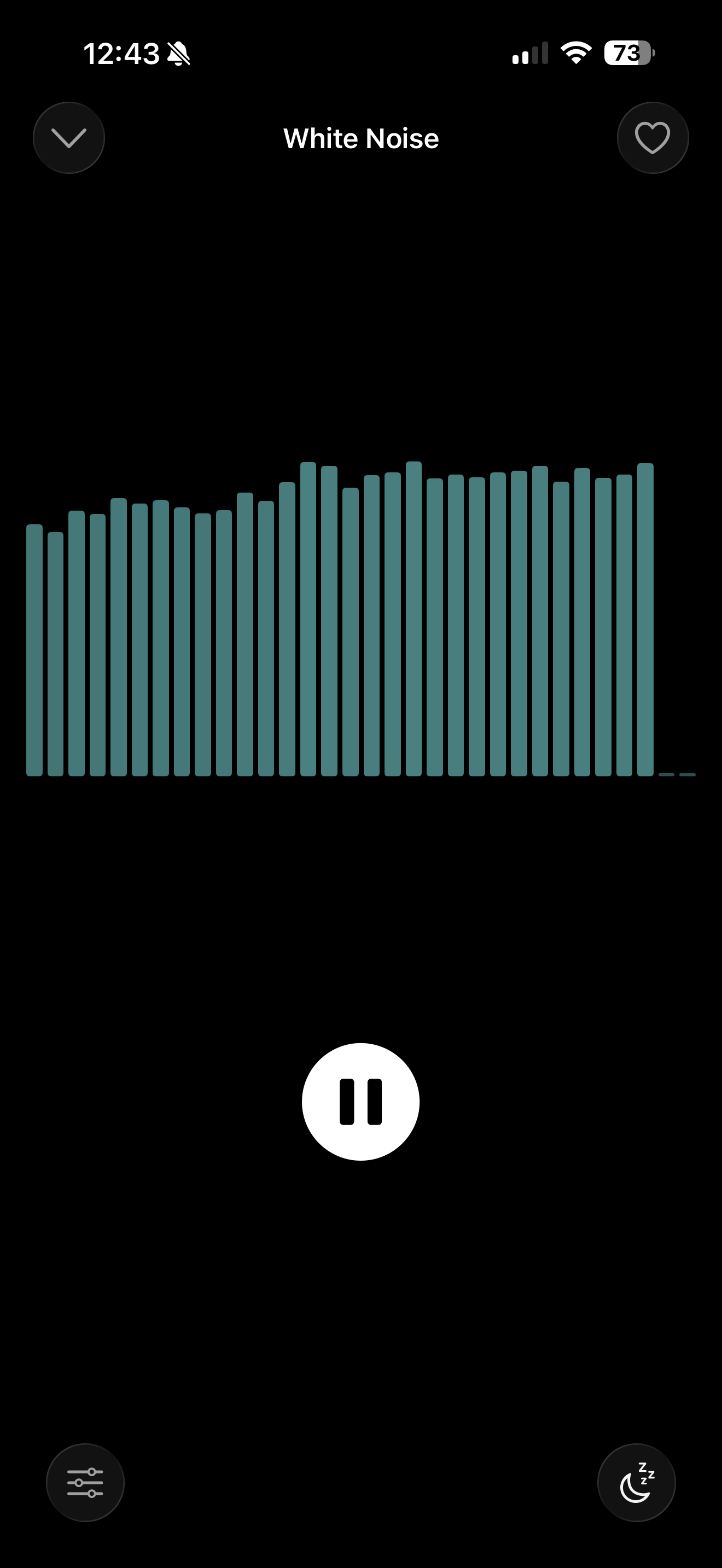
Setting the loudness: use your phone's volume buttons. There is no volume control inside the app. Set the volume so the sound sits alongside your tinnitus and feels easy to listen to.
Tuning a sound to your tinnitus: the player has a Sound EQ control. A Notch Filter quiets a chosen pitch inside the sound and a Boost EQ raises one by an amount you set, so the sound lines up better with your tinnitus. You can use either or both, and you choose the pitch each one acts on. The settings apply to every sound and are saved to your account. Use these controls only as your provider advises. If your provider has not set or recommended settings, the sounds work as they are.
If your provider has set the Sound EQ for you: the screen says Set by your clinician above the controls. The controls still work as normal. The first time you move one, Oto shows you their setting and asks whether to carry on, because your change replaces it. Make a note of their setting if you think you may want it back. Tap Cancel to leave it as it is, or Continue to make your change. Your provider can see that you changed it, and can set it again later.
Sleep timer: tap the timer button in the player to stop the sound after 15 minutes, 30 minutes, 1 hour, or 2 hours. The time counts down in the player.
Favourites: tap the heart on a sound to save it. Saved sounds stay with your account, so they are there on any phone you sign in to.
Background sound during sessions: go to Profile → gear icon → Background Sound to choose a quiet sound to play behind your audio sessions. While a session plays, tap the speaker icon to set how loud it is. It starts quiet. To silence it for the rest of that session, tap Mute background sound, and tap Unmute background sound to bring it back. Muting does not change the level you set, and each new session starts unmuted.
How often: your provider will tell you what suits you. In general, several times a week, 5 to 15 minutes at a time, 1 to 2 hours a week in total, for the first 12 weeks. After that, carry on for as long as it helps and your provider agrees.
Your tinnitus management program
Alongside the sounds, Oto gives you a program of audio sessions and reading material: coping techniques drawn from cognitive behavioral therapy, relaxation and mindfulness sessions, and education about tinnitus. This is supporting content. It helps you cope with the burden of tinnitus. It is not a separate treatment and it works with the sound therapy, not instead of it.
The Program tab holds the main program: six modules with about 75 sessions, in order. It always shows you what is next. The Explore tab holds more than 100 extra sessions you can dip into. Most Program sessions take 5 to 15 minutes. Explore sessions vary, and a few are longer. Try to do one session a day, ideally in the morning, as well as your sound listening.
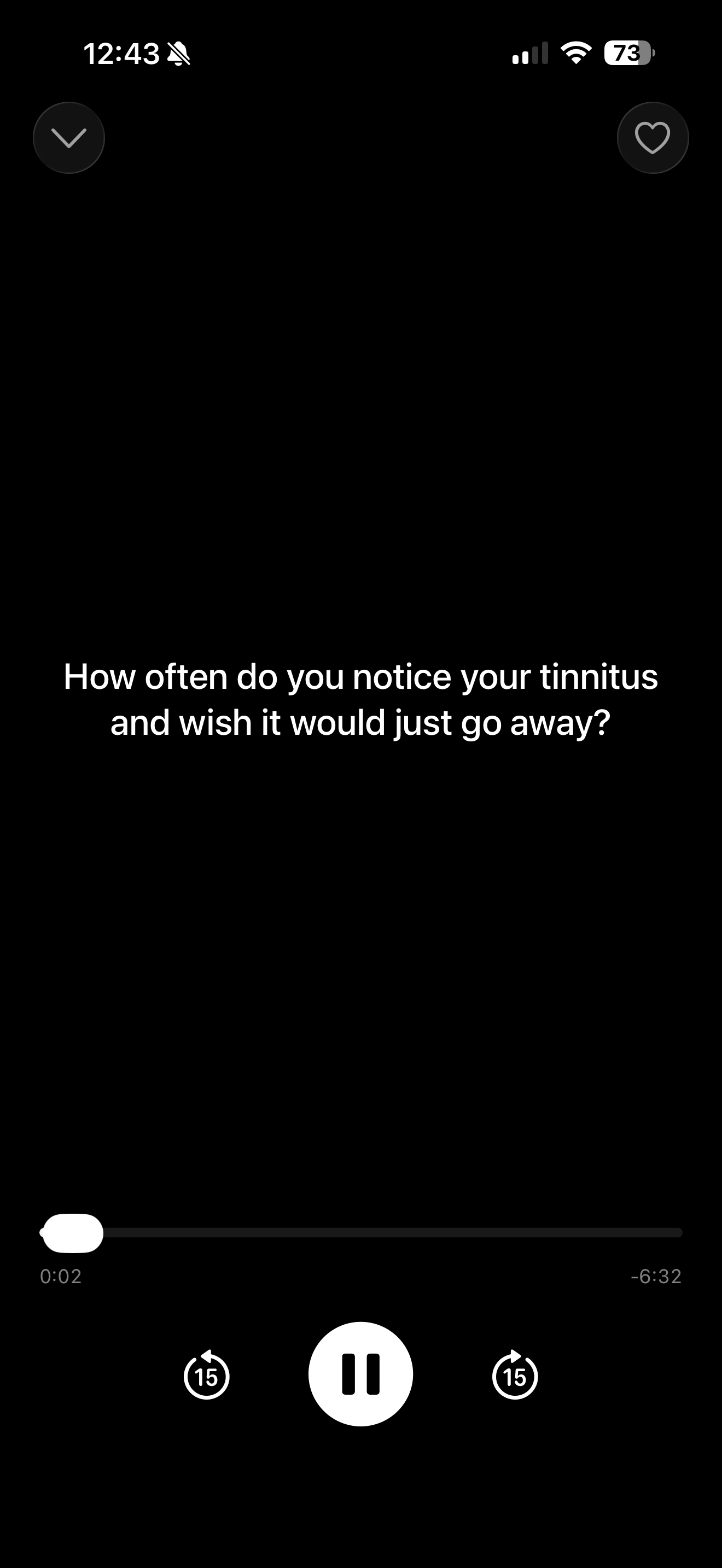
Playing a session: tap the session and the player fills the screen. You can play and pause, skip back or forward 15 seconds, and read the words on screen as they are spoken. When the session ends you see a tick and the next session is ready. Some sessions offer a short writing prompt.
Sessions your provider suggests: your provider can mark Explore modules and sessions for you. A marked module or session has a star beside its name, and when you open it the screen says Recommended by your clinician. Marked modules, and modules that contain a marked session, move to the top of their group; sessions inside a module stay in order. It is a suggestion, not a rule. Nothing is locked, nothing is taken away, and the rest of Explore works the same.
Group sessions: if you are enrolled in one of Oto's live group programs, a Group sessions section on the Program tab shows its upcoming dates and your personal join link, which opens the session in Zoom. Group sessions are optional and are not part of the Oto program.
Checking your progress (TFI)
Oto includes the Tinnitus Functional Index (TFI), a 25-question questionnaire about how much tinnitus has been affecting you.
When: a check-in card appears at the top of the Profile tab when one is due, when you start and then every 30 days. Tap Begin or Start Check-In.
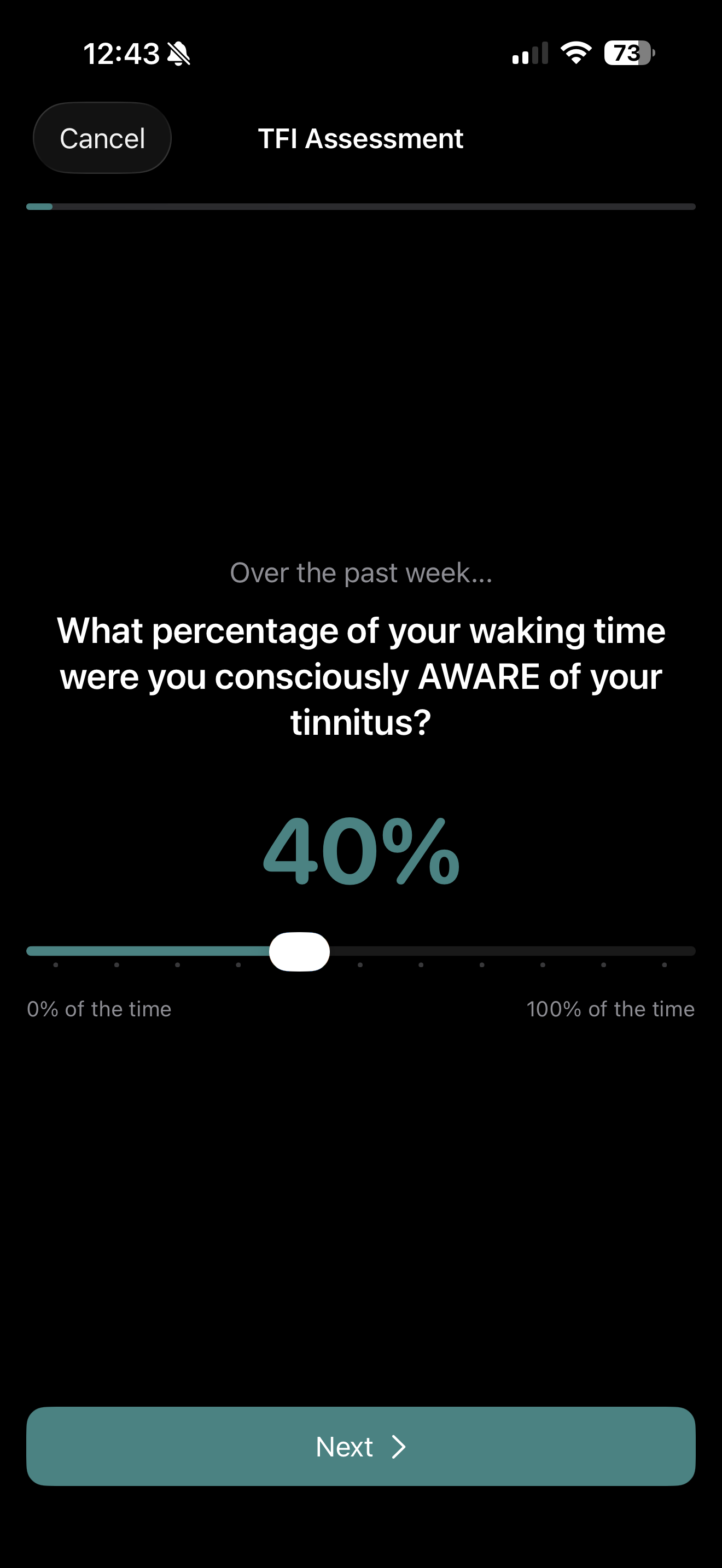
Taking it: each question has a slider. Most run from 0 to 10, and a few ask what percentage of the time something happens. Move the slider to the answer that fits, then tap Next. You have to move the slider before you can go on. It takes a few minutes.
Your results: you see an overall score out of 100, how it has changed since your last check-in, a chart of the eight areas the questionnaire covers, and your answer to each question. Your scores over time are on the History screen, opened from the Profile tab.
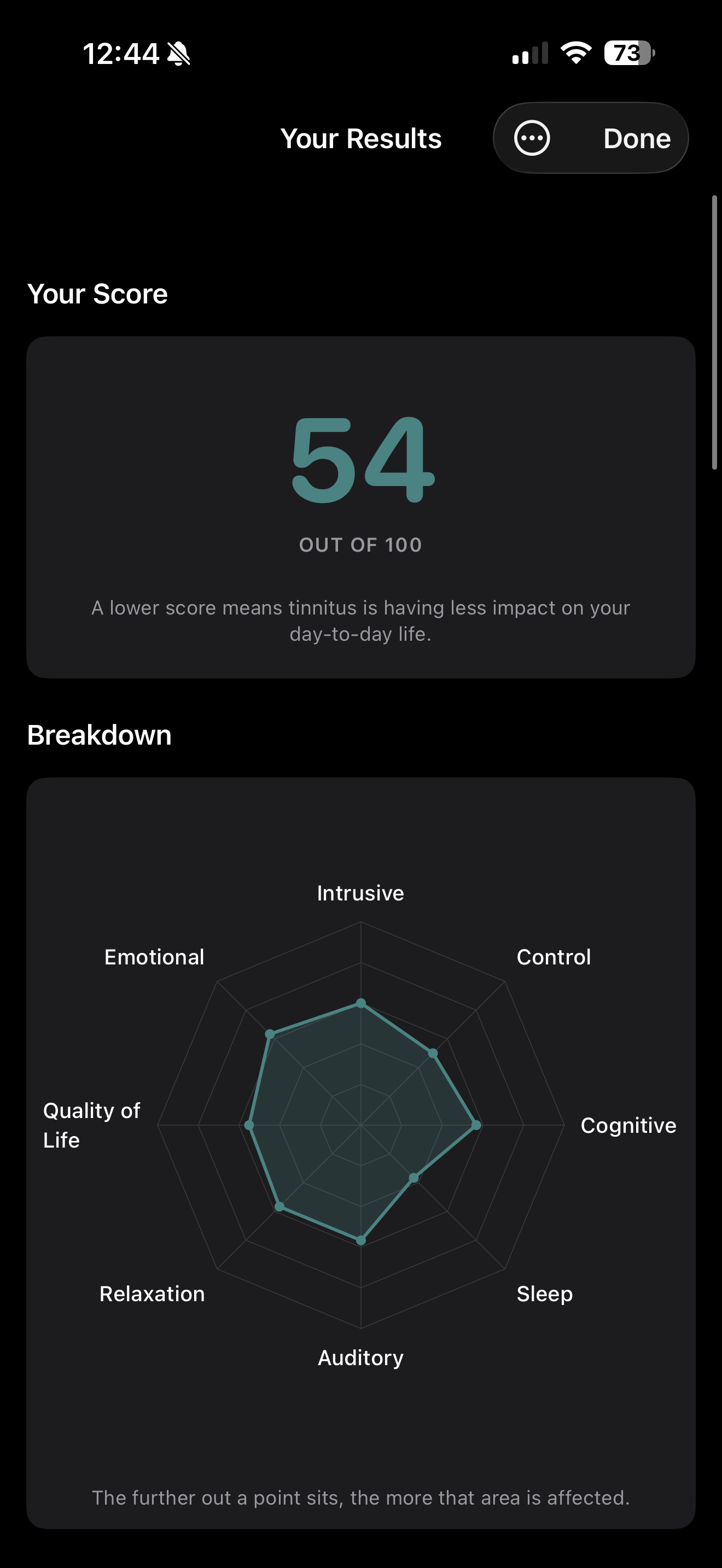
Your TFI score is not a diagnosis. It is a way to keep track of how you are doing over time. The app does not interpret your score or tell you to do anything based on it. The About the TFI page, opened from the menu on the results screen, lists the score ranges published for the questionnaire for reference; the app does not apply one to your score. Only your provider can say what it means for your care.
Sharing with your provider: if your provider uses the Oto dashboard, you can let them see your TFI scores and how much you have used the app. This is optional. The dashboard shows the information. It does not analyze it.
Reminders and session tracking
Profile → gear icon → Notifications turns the daily reminder on or off and sets the time. If your phone does not allow notifications, the reminder stays off. Oto records the sessions you finish and the sounds you play. This fills in your progress in the Program tab and, if you have chosen to share it, is what your provider sees.
Stopping use
You can stop using Oto at any time. There is nothing to wean off. Tell your provider if you can. Under Profile → gear icon → Account you can Reset Progress (takes the program back to Day 1, keeping your journal entries and assessments), Sign Out, or Delete Account (removes your account and data; this cannot be undone).
Contact your provider if your tinnitus gets worse, your hearing changes, you have ear pain or discharge, any condition under Who should not use Oto starts to apply to you, you feel low, very anxious, or distressed, or you are not sure whether to keep using Oto. If your hearing drops suddenly, get urgent medical care.
If something isn't working
No sound: check your phone is not in silent mode, turn the volume up with the phone's buttons, check Bluetooth headphones are on and connected or reconnect wired earphones, then close and reopen the player. If that fails, close the app fully and reopen it. If your headphones disconnect, the sound pauses; tap play to continue.
The 6-digit code did not arrive: wait a minute, check your junk or spam folder, check you typed your email address correctly, then ask for a new code. Codes expire after an hour. Still stuck? Email support@joinoto.com.
The app is slow, or something looks wrong: check you have an internet connection, update the app and your phone's operating system, and close the app fully and reopen it. If you are low on storage, Profile → gear icon → Storage → Clear cached audio frees space without affecting your progress. If none of that helps, contact support and send us your User ID from Profile → gear icon → About.
Reporting problems and staying secure
Keep your account safe: anyone who can get into your email could get into your Oto account, so keep your email secure. Never share a sign-in code. Oto staff will never ask you for one. Keep your phone locked with a passcode, fingerprint, or face unlock, and keep automatic app updates turned on, because security fixes reach you only through updates.
Contact Oto: in the app, go to Profile → gear icon → Contact support, or email support@joinoto.com. Tell us about any problem with the app and any injury or harm you think it may have caused. Security concerns go to the same address and reach our security team the same business day.
Reporting a serious problem to the FDA: you can also report to the U.S. Food and Drug Administration through MedWatch, online at www.fda.gov/medwatch, by phone on 1-800-FDA-1088, or with Form 3500B. Reporting to the FDA does not replace telling your provider or telling us.
Your privacy
How your information is collected, used, and kept is set out in our Privacy Policy, which you can open in the app at Profile → gear icon → About → Privacy Policy. The Terms of Use are in the same place.
Glossary
Tinnitus: hearing a sound, such as ringing, buzzing, or hissing, that does not come from outside your body. Chronic tinnitus has been going on for a long time.
Objective tinnitus: tinnitus that another person, such as your doctor, can also hear.
Auditory hallucinations: hearing voices, music, or other structured sounds that are not there. This is different from tinnitus.
Masking: playing another sound so that your tinnitus blends into it and stands out less.
Broadband noise: a steady, even sound that covers many pitches at once, such as white, pink, or brown noise.
Meniere's disease: an inner-ear condition that causes attacks of spinning dizziness, hearing loss, and ringing, usually in one ear.
Temporomandibular joint (TMJ) disorder: a problem with the jaw joint that can cause jaw pain, clicking, and ear symptoms.
Semicircular canal dehiscence syndrome: a rare inner-ear condition that can cause dizziness and hearing symptoms. Ask your provider if you are not sure whether this applies to you.